
Mastering Strategy Replication: Adding Flexibility and Risk Controls
Strategy replication turns a simple screener output into a complete, testable trading system. The replication step is where you take a raw backtested strategy (originated from the screener) and enhance it with customizable parameters, rebalancing options, and especially powerful risk controls.
This process gives you significant flexibility to refine, protect, and experiment with your ideas without starting from scratch. Below is a breakdown of the key features and how they work.
Step 1: Starting Point — The Raw Strategy from the Stock Screener
You begin by:
Applying filters in the Stock Screener;
Launching a Strategy Backtest using those results; this creates a baseline strategy using the basic screener rules (e.g., buy the top-ranked stocks, equal weighting, monthly rebalancing). At this stage, it lacks any risk management.
Step 2: Replicating the Strategy
When you click "Replicate Strategy", a configuration form appears. This lets you override or add elements to the original setup.
Rebalancing and Portfolio Settings (First Section)
Toggle to access and modify core parameters (similar to the original backtest's first two setup pages);
If you leave this untoggled, the strategy inherits the original rebalancing rules (e.g., monthly calendar-based);
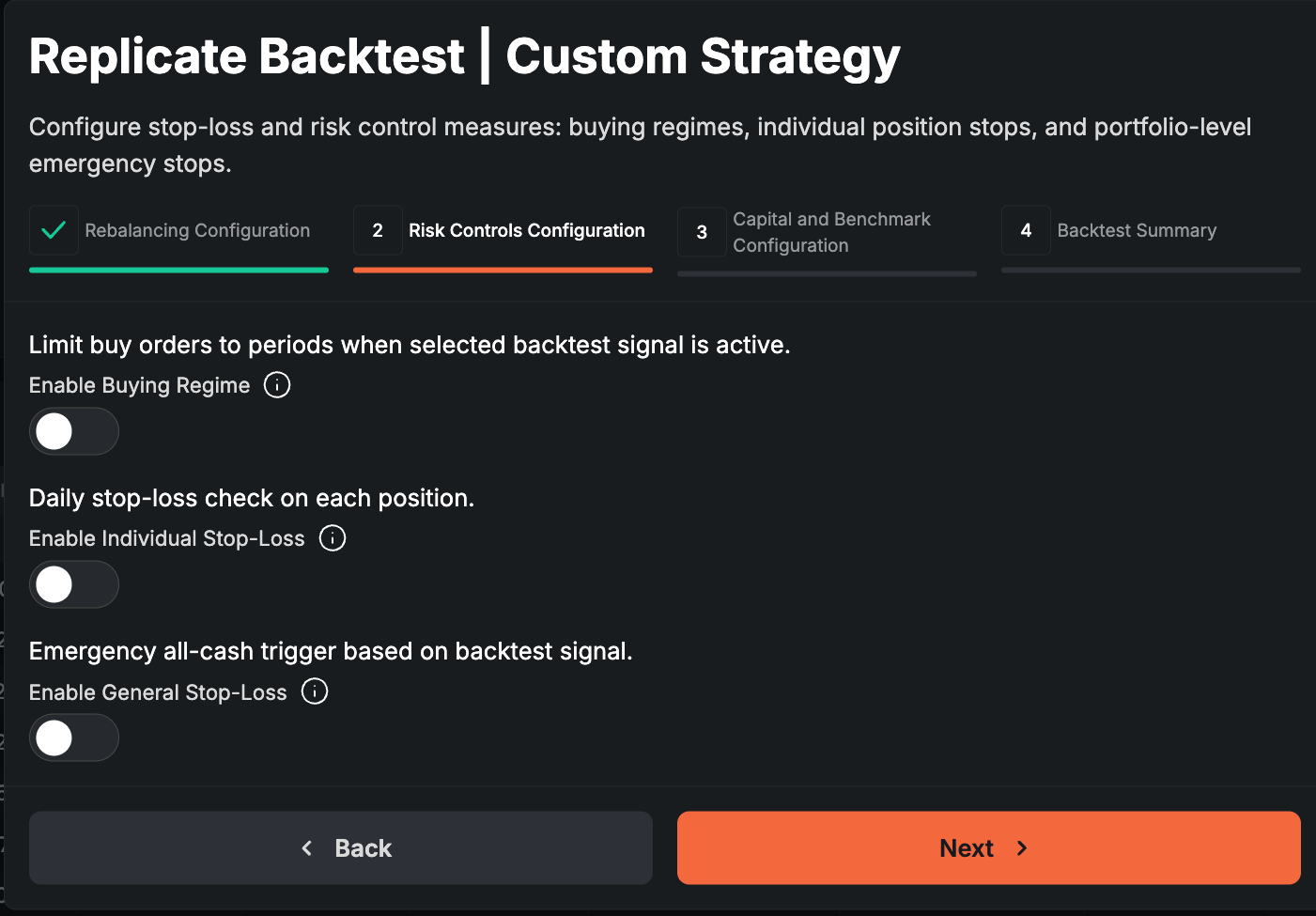
Step 3: Adding Risk Controls
These are the highlight: three main types of risk controls that help reduce drawdowns, manage exposure, and potentially improve risk-adjusted returns.
Buying Regime (Our Preferred Risk Control Method)
Enable this and select any existing backtest to act as a "gate" or regime filter.
When the selected backtest shows an "active" signal (vertical lines in a Market Study), buy orders are blocked.
During rebalancing:
Sell orders still execute normally → reduces portfolio exposure gradually.
No new buys occur → strategy stays in cash or existing positions without adding risk.
This is smoother than abrupt full exits. It's ideal for market timing or regime-based protection (e.g., avoid buying in bearish regimes).
General (Portfolio-Level) Stop-Loss
Applies to the entire portfolio.
When the selected signal activates, the system exits everything (cuts exposure to zero).
Optional: Stopped Out Rebuying toggle.
If enabled → when the stop signal clears, the system immediately rebuys the previous portfolio allocation.
If disabled → it waits until the next scheduled rebalance (critical for monthly/quarterly rebalancing, where the model might miss weeks of recovery).
Individual (Position-Level) Stop-Loss
Checks each holding separately every day (not just at rebalance).
Options include:
Trailing stop — e.g., exit if a position drops X% from its peak (like a 15% trailing stop).
Screener-based stop — very flexible: use any screener tab to create a custom filter as the exit trigger.
Examples: exit if gamma exposure turns negative, if price falls below 50-day MA, if valuation exceeds a threshold, low market cap, or any metric in our database.
Daily checks mean longer backtest processing times, but finer-grained protection.
Key Notes on Combining Controls
All three can be combined freely (e.g., buying regime + trailing stops + general stop-loss).
Goal: experiment to boost Sharpe ratio, cut max drawdown, or smooth equity curves — while avoiding over-filtering that kills returns.
Step 4: Final Customizations and Running the Backtest
On the last page:
Set custom starting capital.
Choose a more relevant benchmark (e.g., switch from broad indices to sector ETFs like IGV for software/tech strategies).